Benefits of Progressive Web Apps: Key Advantages and Limitations
New Community Hub Plugin: Groups, Events, Chats, and Forums for SkaDate Mobile Apps
November 4, 2026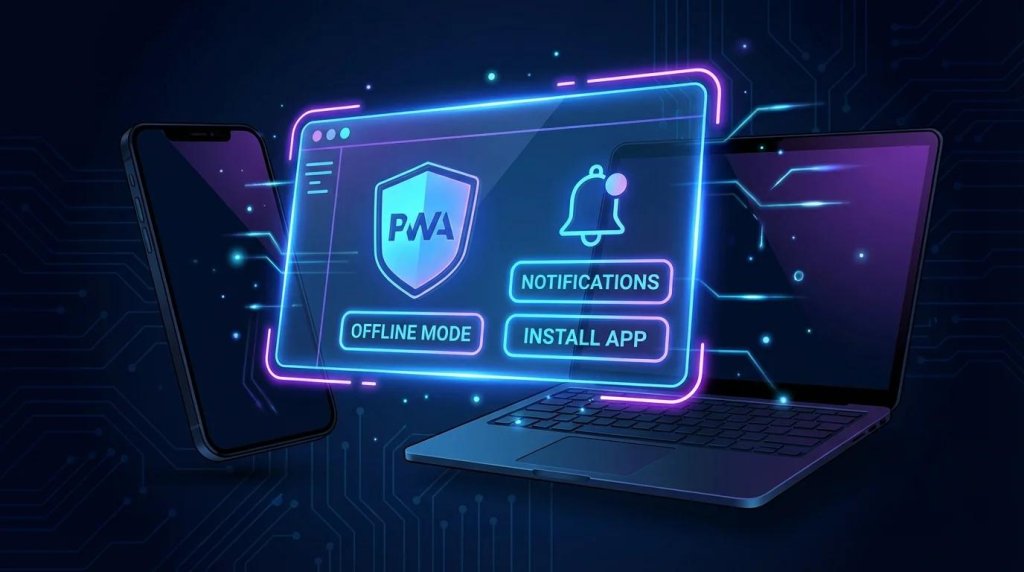
The main benefits of progressive web apps (PWAs) come down to reach and convenience: people open them from a link, install them on a home screen, and get app-like behavior from a single web codebase. Depending on how a PWA is built, it can also load faster on repeat visits, stay partly usable on weak connections, and send push notifications.
Those gains are conditional. Support varies by browser and operating system, and a PWA won't replace a native app in every case. Below, we explain how each benefit works, where the limits are, and when a PWA is the better choice.
What Is a Progressive Web App (PWA)?
A progressive web app is a web application built with standard web technologies (HTML, CSS, and JavaScript) that behaves like an installed app. MDN describes it as an app built on web platform technologies that delivers an experience like that of a platform-specific app.
Three terms are easy to mix up, so here is how they differ. A regular website is a place people visit: it usually has no presence on the device when the browser is closed and depends heavily on the network. A web app is a website built for interactive tasks such as messaging, booking, or account management, but it still lives in a browser tab. A PWA is a web app that adds a web app manifest and, in most cases, a service worker, so supporting browsers can offer to install it, open it in its own window, and keep parts of it working when the connection drops.
Because a PWA is still a website, anyone with a browser can use it by visiting the URL. Installation is an extra layer for browsers that support it. A PWA can also be packaged for app stores, but that is optional rather than required.
How Do Progressive Web Apps Work?
Three building blocks do most of the work: a manifest, a service worker (in most cases), and a secure connection.
Web App Manifest and Home Screen Installation
The web app manifest is a JSON file that tells the browser how the app should look and behave once installed. It defines the app name, icons, start URL, and display mode. Chromium-based browsers such as Chrome, Edge, and Samsung Internet require a name, 192px and 512px icons, a start URL, and a display setting before they promote installation, according to MDN's installability guide. In standalone display mode, the app opens without browser controls, which accounts for much of the native-like feel.
Service Workers and Offline Functionality
A service worker is a script that runs separately from the page and can intercept network requests. It can cache pages, styles, scripts, and images, then serve them when the network is slow or gone. Whether it favors the cache or the network is a developer decision, and it determines how fresh the content is. MDN notes that a service worker isn't required for a PWA to be installable, but most PWAs use one to provide at least a basic offline experience.
HTTPS, Browser Support, and Device Capabilities
PWAs must be served over HTTPS (localhost is allowed for development). Beyond that, support differs by platform. On desktop, Chromium browsers install PWAs from a manifest, Safari offers Add to Dock on macOS Sonoma and later, and Firefox doesn't install PWAs from a manifest. On iPhone, PWAs can be installed from the Share menu in several browsers since iOS 16.4. Because features like push and background sync are not universal, well-built PWAs detect what's available and fall back gracefully.
8 Key Benefits of Progressive Web Apps
1. Faster Loading and Improved Performance
After the first visit, a service worker can serve the app's shell (navigation, layout, core scripts, and images) from a local cache instead of downloading it again. Repeat visits usually feel quicker, and a cached shell lets the interface appear while fresh data loads. A PWA isn't fast by default. Heavy scripts, oversized images, and slow APIs hurt a PWA as much as any website, and a cache-first strategy can show stale content. Treat speed as something you build and measure, not something the PWA label provides.
2. Offline Functionality and Better Access on Unreliable Networks
With a service worker, screens and content that were already loaded can stay available when a train enters a tunnel or Wi-Fi drops. MDN also describes Background Sync, which lets an app queue an action such as sending a message and complete it once connectivity returns, though browser support varies. Offline mode usually means cached content and queued actions, not a copy of your server. A messaging screen might show conversations that were loaded earlier, but searching for new people or seeing real-time status still needs a connection. Decide up front what should work offline, then design for it.
3. Home Screen Installation Without Mandatory App Store Distribution
Supporting browsers can prompt people to install a PWA straight from the web, giving it an icon beside other apps and its own window. No store listing or review queue is required on that path, which shortens the distance between "someone tapped a link" and "the app is on their phone." Since iOS 26, any website added to the Home Screen opens as a web app by default unless the user switches that off, WebKit says.
Installation flows differ: on iOS people use the Share menu, and the in-page install prompt available in Chromium browsers isn't supported there. And skipping app stores is a choice, not a rule. PWAs can also be packaged for stores such as Google Play and the Microsoft Store when store visibility matters.
4. Push Notifications and Opportunities for User Engagement
A PWA can use the Push API and notifications to reach people when the app isn't open, for example to announce a new message. That makes it easier to re-engage users who would otherwise have to remember to come back.
The browser must support it, and the user must grant permission. On iPhone and iPad, Apple added web push for Home Screen web apps in iOS and iPadOS 16.4, with the permission request tied to a direct action such as tapping a subscribe button. Overuse has a cost, too: browsers require push messages to produce a visible notification, and people can turn them off. Reserve them for what is genuinely time-sensitive.
5. Cross-Platform Compatibility and a Wider Reach
Because a PWA is a web app, one codebase can serve iPhone, Android, laptop, and desktop users, and anyone can open it through a link with nothing to download. That helps with a wider audience, including people who would never install a new app but will tap a link a friend sends. "Cross-platform" doesn't mean "identical everywhere," though. Browsers differ on installation, notifications, and APIs, so teams test on the browsers and devices their audience actually uses and build with progressive enhancement: a solid core for everyone, extra features where supported.
6. Cost-Effective Development and Maintenance
Maintaining one web product is often cheaper than maintaining separate iOS and Android apps plus a website, because design, logic, and bug fixes are shared. Updates ship through your own web infrastructure, so you don't wait on a store review for every change.
How much you save depends on the project. Complex features, integrations, accessibility, and cross-browser testing still take real effort, and service worker caching can delay when people see a new version unless you plan the update flow. A PWA can reduce development costs, but the savings depend on the features you need and the platforms you support.
7. Search Engine Discoverability and Easier Sharing
Every public page of a PWA has a URL, so it can be linked, shared in a message, and, if it's crawlable, indexed by search engines. MDN lists this as a core advantage of web distribution compared with store-only distribution. Being a PWA doesn't improve rankings by itself. Indexable content, sound technical SEO, and quality still decide visibility, and anything behind a login isn't indexed anyway. The clearest win is the sharing loop: a link can land someone inside the product with nothing to install first.
8. An App-Like Experience With Less Installation Friction
In standalone display mode, a PWA opens in its own window without browser controls and, on supported devices, appears with its own icon and entry in the app switcher. For many products, including messaging, scheduling, and social tools, that is enough to feel like an app. It isn't the same as native, though. Native apps get deeper operating system integration, and the polish of a PWA depends on design and engineering choices. The practical benefit is a familiar, quick-launch experience with fewer steps between discovering a service and using it.
Disadvantages and Limitations of Progressive Web Apps
PWAs trade some native capability for reach and simplicity. These are the limits worth weighing before you commit:
- Uneven feature support. Installation, push, and background features differ by browser and operating system. Desktop Firefox doesn't install PWAs from a manifest, and on Android only some browsers install them as full WebAPKs. Others add a shortcut that opens in the browser.
- Limited access to some device features. PWAs reach hardware through web APIs, and those vary by platform. Certain biometric flows, advanced camera controls, and deeper system integration may be limited or unavailable, so check the specific APIs you need on each platform you target.
- Offline has boundaries. Only what you cached or queued works without a connection. Real-time features still need the network.
- Less reliable background work. Browsers stop service workers when they are idle, and the frequency of periodic background sync can depend on how often people use the app.
- Discovery without a store. Nobody stumbles on your app while browsing a store, so you rely on search, links, and your own marketing. Install prompts are also less visible than a store's Get button, and on iOS people have to find the Share menu.
- Security and privacy are still your job. HTTPS is required, but it doesn't make an app secure. Authentication, API protection, data storage, and moderation need to be designed in, especially for products that handle sensitive personal data.
Several of these constraints shift as browsers evolve, so verify them against current documentation rather than a comparison written a few years ago.
Progressive Web Apps vs. Native Mobile Apps vs. Regular Websites
The three options overlap more than people expect. A PWA is a website with extra capabilities, a native app is software built for one platform, and a regular website is the simplest of the three. This table shows where they differ in practice.
| Feature / Aspect | Progressive Web App | Native Mobile App | Regular Website |
|---|---|---|---|
| Installation | Supported with conditions; steps vary by browser and OS | Typically distributed through app stores | None; visited in a browser |
| App Store Distribution | Optional; can be packaged for some stores | Typically the main route | Not applicable |
| Offline Functionality | Depends on implementation | Depends on app design | Usually limited or none |
| Push Notifications | Supported with conditions (browser, OS, permission) | Platform-supported, with user permission | Browser-dependent |
| Device Hardware Access | Platform-dependent, through web APIs | Broadest, through platform SDKs | Limited to web APIs in the browser |
| Development and Maintenance | One web codebase; cross-browser testing needed | Native or cross-platform codebases; platform-specific work and testing may be needed | One web codebase; simplest to maintain |
| Search Discoverability | Public pages can be indexed | Found through store search; in-app content is generally not part of web search | Public pages can be indexed |
| Updates | Deployed through the web; caching can delay them | Released through store updates | Live on the next page load |
| Best Use Cases | Services where reach, links, and simple distribution matter | Products that need deep device integration or reliable background behavior | Content, marketing, and simple transactions |
PWAs aren't right for every project, but they can be a rational middle path. If your product needs the web's reach and some app-like behavior without heavy hardware integration, a PWA is worth serious consideration.
When Does a PWA Make Sense for a Business?
A PWA is worth considering when most of these are true:
- People reach your service through links, search, or shared messages.
- You need a quick launch on several platforms without separate native projects.
- Your product doesn't depend on platform-specific native features.
- The budget is limited, but a polished mobile interface is still a must.
- Users return often, so a home screen icon and notifications are valuable.
- You want a distribution channel that doesn't depend on app stores.
A native app may be the better choice when the product needs complex hardware integration, dependable background processing, or platform-specific capabilities that the web doesn't expose. It can also win when store presence is itself a core part of your acquisition strategy.
The two aren't mutually exclusive. Some teams launch a PWA first to validate demand, then add a native app once real usage shows what the web version can't do.
Benefits of PWAs for Dating Platforms
Dating products fit the PWA model for a few specific reasons. People often arrive from a social post, an ad, or a friend's link, and a PWA lets them start in the browser without visiting a store first. Those who stay can add the app to their home screen for quick access, so the service sits next to their messaging apps.
Notifications matter even more here. A message or a match is time-sensitive, and a push notification can bring someone back in the moment. That works only where the device and browser support it and the user has granted permission. Skipping mandatory store distribution can also simplify a launch, though it doesn't remove the need for good marketing.
Privacy comes first in this category. Dating apps handle sensitive personal information, so secure authentication, careful data handling, and active moderation matter more than any technical convenience. A PWA won't improve conversion, retention, or revenue on its own.
For businesses building dating platforms, SkaDate's Progressive Web App (PWA) solution allows users to access the service through a browser and add it to their home screen on supported devices. This provides an alternative to relying exclusively on app store distribution. Features such as push notifications and offline access depend on the platform and implementation.
Are Progressive Web Apps Still Relevant in 2026?
Yes, for the right kinds of products. Browser vendors continue to extend the platform: Apple's iOS 26 opens every website added to the Home Screen as a web app by default, and web push for Home Screen web apps has been available on iPhone and iPad since iOS and iPadOS 16.4. MDN's PWA documentation is actively maintained, with guides updated in autumn 2026.
PWAs haven't replaced native apps, though, and they aren't likely to for products that depend on deep device access or dependable background behavior. Their staying power comes from a simpler value proposition: reach through a link, installation without a store, and a single codebase. Whether that's enough depends on what your product needs, and on which browser features your audience's devices support today.
Conclusion
The real strength of progressive web apps is that they combine the web's reach with some of an app's convenience: a link opens the product, a supporting browser can install it, and one codebase can serve many devices. Support varies by browser and platform, offline and push features must be built and permitted, and deep hardware access still favors native apps.
For products that value reach, fast iteration, and flexible distribution, a PWA is a strong candidate. For the rest, a native app or a well-built website may be the better fit.
Frequently Asked Questions
Sources
- MDN Web Docs, What is a progressive web app? - https://developer.mozilla.org/en-US/docs/Web/Progressive_web_apps/Guides/What_is_a_progressive_web_app
- MDN Web Docs, Making PWAs installable - https://developer.mozilla.org/en-US/docs/Web/Progressive_web_apps/Guides/Making_PWAs_installable
- MDN Web Docs, Offline and background operation - https://developer.mozilla.org/en-US/docs/Web/Progressive_web_apps/Guides/Offline_and_background_operation
- WebKit, Web Push for Web Apps on iOS and iPadOS - https://webkit.org/blog/13878/web-push-for-web-apps-on-ios-and-ipados/
- WebKit, WebKit Features in Safari 26.0 - https://webkit.org/blog/17333/webkit-features-in-safari-26-0/
The main benefits of progressive web apps (PWAs) come down to reach and convenience: people open them from a link, install them on a home screen, and get app-like behavior from a single web codebase. Depending on how a PWA is built, it can also load faster on repeat visits, stay partly usable on weak connections, and send push notifications.