12 Best Progressive Web App Examples in 2026
Top safety features for dating sites to protect users from scams
June 14, 2022The Top 16 Must-Have Features For Your Dating Site and App
June 24, 2022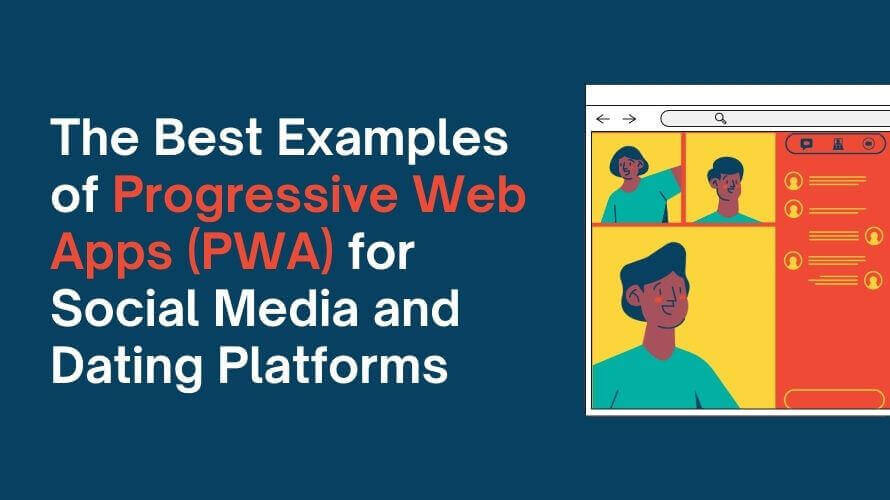
A progressive web app is a website built to combine the reach of the open web with a high-performance, app-like user experience. Depending on its implementation and browser support, it can be installed on a device, support selected offline functionality, send push notifications, and sit on a home screen without requiring a traditional app store download. None of that is new technology at this point, but it's more relevant than ever in 2026, since app store fees still eat into revenue, users are pickier than ever about downloading something new, and speed keeps getting more directly tied to conversion. Google's own research found that 53% of mobile visits get abandoned if a page takes longer than 3 seconds to load, which is exactly the kind of number that makes "app-like, but instant" worth taking seriously. The examples below are real companies that shipped a PWA, and where a specific result is cited, its source and limitations are identified rather than copied uncritically from another blog's list.
Core PWA Capabilities: Service Worker, Push Notifications, and More
A few technical pieces work together to make all of this possible, and it's worth knowing what they actually do rather than treating "PWA" as a buzzword.
Service Worker
A service worker is a small script that runs in the background of the user's browser, separate from the page itself. It's what makes offline functionality possible: it can intercept network requests, cache HTML, CSS, JavaScript, images, and even audio files client-side, and serve that cached content when there's no connection at all.
Web App Manifest and the Home Screen
The web app manifest is a JSON file that tells the operating system how the app should look and behave once installed: its name, icon, theme color, and whether it opens in its own window or inside a regular browser tab. This is what turns "a website someone bookmarked" into something that sits on the home screen and looks like any other app.
Push Notifications
Push notifications let a PWA re-engage someone even when the app isn't open, the same way a native app would: a new match, a price drop, a breaking news alert. This runs through the same background service worker, which is also what allows it to work without the browser tab being active.
Background Sync API
In supported browsers, the Background Sync API lets a PWA defer selected tasks until a connection is available, rather than failing outright. Depending on how the app is implemented, it can queue actions such as submitting a form and retry them when the device reconnects.
HTTPS and Sharing With Other Apps
Service workers only run on secure connections, so there's no progressive web app without HTTPS, which also happens to be good for SEO and user trust regardless of PWA status. On top of that foundation, APIs like Web Share let a PWA hand content off to other apps installed on the device (sending a link or image straight into a messaging app, for instance), which is one of the smaller details that makes a PWA feel native rather than like a website pretending to be one.
12 Real PWA Examples (With Verified Results)
Twitter Lite
This is the case study most PWA articles quote, and for good reason: it's fully documented in Google's own case study rather than a secondhand summary. After launching Twitter Lite, the company reported a 65% increase in pages per session, a 75% increase in Tweets sent, and a 20% drop in bounce rate. The PWA itself is about 600KB over the wire, compared to 23.5MB for the native Android app at the time, which mattered a lot in markets where mobile data is expensive, storage space is limited, or connections are slow.
AliExpress
Also independently verified through Google's case studies: AliExpress saw a 104% increase in conversion rate for new users overall, and 82% specifically on iOS, along with twice as many pages viewed per session and a 74% increase in time spent per session. Letting people keep browsing products even when their connection drops is a big part of that story, since a stalled page mid-checkout is a classic cause of cart abandonment, and offline-tolerant browsing removes that failure point entirely.
Pinterest's own performance case study, published by a Chrome engineer on Google's dev-channel Medium publication, is one of the more detailed and verifiable examples on this list. After rebuilding its mobile site as a PWA, Pinterest cut its core JavaScript bundle from 650KB down to 150KB (minified and gzipped), which is a fraction of the size of its Android app (9.6MB) or iOS app (56MB). That translated directly into speed: first meaningful paint dropped from 4.2 seconds to 1.8 seconds on an average Android device over 3G, and time to interactive fell from 23 seconds to 5.6 seconds. On the business side, Pinterest reported a 60% increase in core engagement, a 44% increase in user-generated ad revenue, and a 40% increase in time spent on the site, gains that track closely with those load-time improvements rather than sitting apart from them.
Trivago
Trivago's PWA is built to keep working when a connection drops mid-session, and Google's own write-up on driving business results with PWAs confirms one specific number: 67% of users who lost their connection kept browsing once it came back. You'll see bigger figures attached to Trivago elsewhere online, most commonly a 150% increase in engagement, but none of the sources repeating that number point to where it actually comes from, so treat it as commonly cited rather than confirmed.
Spotify
Spotify's web player shows how a browser-based product can support playback, search, queueing, playlist management, and account synchronization without requiring a desktop installation. However, offline listening remains a native-app feature, and Spotify has not published a clear before-and-after business case attributing conversion growth specifically to its web player.
Starbucks
The Starbucks ordering PWA lets customers browse the full menu, customize a drink down to the syrup pumps, and build an order entirely offline on the subway or in a basement with no signal, then syncs and completes the purchase the instant a connection comes back. It's one of the most-cited PWA examples specifically because it solves a real problem for a huge, mobile-heavy customer base: ordering coffee shouldn't fail just because someone's underground for two stops. It also sits deliberately alongside Starbucks' native app rather than replacing it; features like Apple Pay checkout remain one of the things still exclusive to the native app on iOS, which is a useful reminder that a PWA doesn't have to replace every native capability to be worth building.
BMW
BMW rebuilt large parts of its marketing site as a PWA to handle high-resolution vehicle photography and video without the load times that usually come with that much visual content, reporting figures commonly cited around a 49% increase in site visits and roughly four times faster page loads, though as with Trivago's bigger numbers, that specific figure traces back to marketing write-ups rather than an audited source. The underlying logic holds regardless of the exact percentage: a shopper comparing trims and colors on a phone shouldn't be waiting on every image to load, and a slow product page is a direct path to someone closing the tab and looking at a competitor instead.
Uber
Uber's web booking flow is built as a lightweight PWA specifically so it works on 2G and 3G connections and older, lower-memory phones, which matters enormously in markets where a full native app download is a real barrier, whether that's storage space, data cost, or both. Expediting that initial load instead of forcing a multi-megabyte app download first is a direct lever on bounce rate: the faster someone can request a ride, the less likely they are to give up and open a different app instead. You can request a ride from a browser tab in seconds without ever installing anything, which also makes it a natural fallback for anyone who deleted the app to free up storage space and just needs a ride once.
Telegram
Telegram Web operates as a browser-based alternative to its native apps, handling messaging, media sharing, and notifications on desktop and mobile, with chat history staying in sync across logged-in devices. For a messaging app with hundreds of millions of users, treating the browser version as a first-class experience rather than a stripped-down afterthought is a real product commitment, not a side project.
Instagram's browser experience is built to behave like the app itself: feed browsing, stories, and direct messages all work without a native install. That matters most for desktop users and people on mobile devices or data plans where downloading a large, frequently-updated native app isn't practical, and it quietly widens the audience beyond people who were willing to use up storage space for it.
The Washington Post
The Washington Post's PWA focuses on instant loading and offline reading for saved articles, plus push notifications for breaking news, which is exactly the feature set a news publisher actually needs: get the story, images, and video in front of someone fast, keep it readable once they've saved it, and don't lose them the moment their connection drops on a train platform mid-article.
Google Maps Go
Google built a dedicated, deliberately lightweight PWA version of Maps aimed at entry-level phones and slower connections, stripping the experience down to directions and place information without the storage and performance overhead of the full native app. It's a rare case of a company building a smaller PWA on purpose alongside its own flagship native app, rather than treating the PWA as a compromise version of the "real" product.
PWA Limitations You Should Know About
None of this makes PWAs a universal answer, and it's worth being upfront about where they fall short.
iOS support is still uneven. Safari has closed a lot of the gap over the past few years, but push notifications, storage limits, and background sync still behave differently on iOS than on Android, and some capabilities simply aren't available at all. If a meaningful share of your users are on iPhones, test the actual experience there before assuming feature parity.
Hardware and OS-level access is limited. A PWA can't always match a native app's deep system integration: access to certain sensors, background processes, payment capabilities, and other platform-specific APIs may be restricted or behave differently across browsers.
Caching strategy takes real thought. Offline support isn't automatic just because you added a service worker. Deciding what to cache, for how long, and how to handle stale data when the user reconnects is a genuine design problem, not a checkbox. Cache too aggressively and people see outdated prices or profiles; cache too little and offline mode barely does anything useful.
App store discovery doesn't happen by default. A native app benefits from store search, rankings, and "you might also like" recommendations without any extra work. A PWA gets none of that unless the browser or OS has a specific installability prompt, which means you're relying entirely on your own marketing to get someone to install it, whether that's a homepage prompt, a QR code on packaging or in-store signage, or a direct link shared through your other apps and channels.
Some users still don't see it as a "real" app. Even a flawless PWA can face resistance from people who equate "real app" with "something from the app store." That's a perception problem more than a technical one, but it's real, and it affects install rates regardless of how good the product is underneath.
PWA or Native App: How to Decide
A few questions tend to settle this faster than a general pros-and-cons list.
How much of your budget is actually available for ongoing development? A PWA is typically cheaper to build and maintain since it's one codebase across platforms, while native apps usually mean separate iOS and Android teams or a cross-platform framework with its own tradeoffs.
Does your product need deep access to device hardware? If you're depending heavily on background location tracking, Bluetooth, or advanced camera features, native still has the edge. If your core experience is browsing, transactions, or messaging, a PWA can usually match it.
Where does your audience actually expect to find you? A product that lives or dies on app store discovery and rankings needs a native presence regardless of what else you build. A product driven by search, social, or direct links can succeed as a PWA without ever appearing in a store.
Can your business absorb app-store commissions? Depending on the platform, market, developer program, and type of transaction, in-app purchase commissions can materially affect revenue. That's one of the more concrete financial reasons companies revisit PWAs even after building a native app first.
How fast do you need to ship, and to how many platforms at once? A single PWA codebase updates for everyone the moment you deploy it. Two native apps mean two release cycles, two sets of platform-specific bugs, and app store review queues that can add days to something that should've shipped the same afternoon.
Plenty of companies run both: a native app for their most engaged users and a PWA as the low-friction front door for everyone else, exactly like Starbucks and Spotify do above. That's not a compromise so much as matching the format to the moment someone shows up, and it's often the more honest answer than picking one and forcing every use case through it.
How PWAs Fit Dating and Matchmaking Platforms
For a dating or matchmaking platform specifically, a progressive web app solves a few problems that are particularly painful in this category.. New members rarely want to download a native app just to see if a platform is worth their time, so a PWA lets someone browse profiles and even start a conversation before deciding an install is worth it. On supported devices, push notifications can bring users back for new matches and messages, while carefully planned caching can keep selected parts of the experience available during an unstable connection. One codebase also means feature updates can roll out without waiting on separate app store review queues.
How SkaDate Can Help
SkaDate's dating app builder provides a ready-made foundation for profiles, search and matching, messaging, subscriptions, moderation, push notifications, and installable mobile access.
We can also help you determine which functionality should remain web-based, which features may require native development, and whether a PWA, native app, or combined approach is the right fit for your launch.
Contact us to discuss your dating or matchmaking platform.
FAQ
Learn more about what is Progressive Web Apps and the best examples of them for Social Media and Dating Platforms.