12 Best Progressive Web App Examples in 2026
Top safety features for dating sites to protect users from scams
June 14, 2022The Top 16 Must-Have Features For Your Dating Site and App
June 24, 2022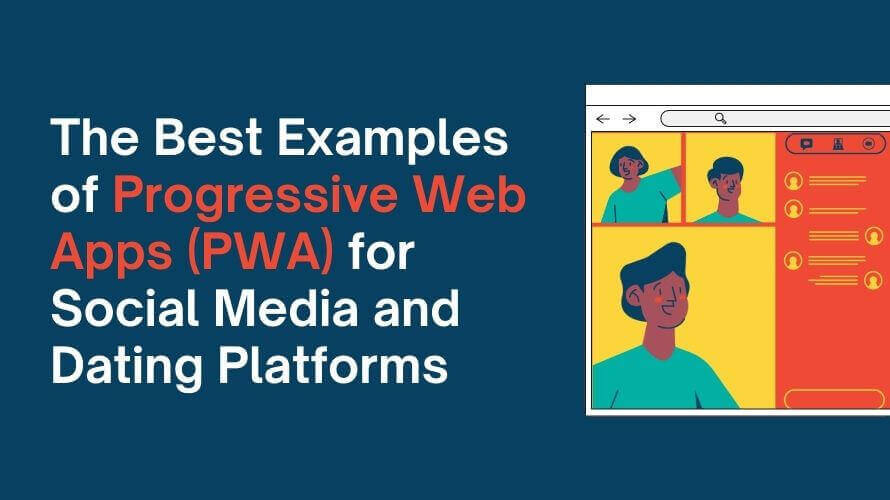
- Best Real-World Progressive Web App Examples
- 1. Twitter Lite: A Data-Friendly Mobile Web Client
- 2. AliExpress: Bringing App Features to Every Browser
- 3. Pinterest: Rebuilding a Slow Mobile Site
- 4. Starbucks: Ordering That Starts Without a Signal
- 5. Uber: A Ride Request Built for 2G
- 6. Trivago: Keeping Searches Alive When the Connection Drops
- 7. Tinder Online: Dating in the Browser
- 8. Spotify Web Player: An Installable Music Player
- 9. Google Maps Go: A Lightweight Maps Client
- 10. Google Keep: Notes That Feel Native on Desktop
- 11. Photopea: A Photo Editor in the Browser
- 12. Sky Freebies: One PWA, Several Distribution Channels
- What Makes These Progressive Web Apps Successful?
- How to Tell Whether a Website Is a Progressive Web App
- What Can Businesses Learn From These PWA Examples?
- Progressive Web App Examples for Dating Platforms
- Conclusion
A progressive web app is a website built to combine the reach of the open web with a high-performance, app-like user experience. Depending on its implementation and browser support, it can be installed on a device, support selected offline functionality, send push notifications, and sit on a home screen without requiring a traditional app store download.
The 12 examples below show what that looks like in practice: eight historical examples, including well-documented case studies from Twitter, Pinterest, and AliExpress, and four PWAs you can try today. Each entry says which PWA feature is confirmed and whether the results are historical.
Best Real-World Progressive Web App Examples
1. Twitter Lite: A Data-Friendly Mobile Web Client
Twitter Lite remains one of the best-documented early PWA examples. Google's web.dev write-up says it became the default mobile web experience for all users globally in April 2017. After launch, Twitter reported 65% more pages per session, 75% more Tweets sent, and a 20% drop in bounce rate. The PWA was about 600 KB over the network, compared with 23.5 MB to download the native Android app, which matters where data is expensive or storage is tight. Service workers let the app start in under three seconds on return visits, even on slow networks.
These are one company's results from 2017, and the product has since been renamed X. The lesson that still applies: a small, cached shell can make the mobile web practical for people who would never install the native app.
2. AliExpress: Bringing App Features to Every Browser
AliExpress built a cross-browser PWA at m.aliexpress.com to give web visitors the benefits of its app, including performance, the ability to work offline, and re-engagement, without asking them to download anything first. In Google's case study, conversion for new users rose 104% across all browsers and 82% on iOS. Visitors also viewed twice as many pages per session, and time per session grew 74%.
The page doesn't say when these figures were measured, so read them as results of one redesign, not a benchmark for every store. What carries over is the approach: AliExpress invested in the web experience for all browsers rather than only the ones with the newest features, and saw gains beyond the latest ones.
3. Pinterest: Rebuilding a Slow Mobile Site
Pinterest rebuilt its mobile web experience in about three months after finding that the old version converted only around 1% of unauthenticated mobile visitors into sign-ups, logins, or app installs. According to a case study on Google's Chrome Developers channel (November 2017), the team cut its core JavaScript bundle from 650 KB to 150 KB and added service workers for network resilience. Compared with the old mobile web, time spent rose 40%, user-generated ad revenue 44%, and core engagements 60%.
Pinterest's own one-year retrospective adds a caution that suits any team: performance is hard to maintain, because a single heavy import can bloat a bundle. The gains came from a rewrite focused on speed, not from the PWA label itself.
4. Starbucks: Ordering That Starts Without a Signal
Starbucks added ordering to its website as a PWA meant to work for customers in both established and emerging markets. Formidable, the agency that built it, says customers can browse the menu, customize orders, and add items to their cart even when they're offline, which required caching menu data and static pages. It also describes the PWA as faster than the existing iOS app. Submitting an order still requires reaching Starbucks' servers.
For businesses, the useful detail is the split: the browsing and customizing steps were made resilient, and the final order stays online. This is a historical case, so the live site may behave differently today.
5. Uber: A Ride Request Built for 2G
In 2017, Uber rebuilt its web client as m.uber so riders could request a trip on slow networks and low-end phones, including devices its native app didn't support. Uber's engineering post says the core ride-request app is 50 kB gzipped and minified, which the team calculated as about three seconds to interaction on a typical 2G connection. It uses Preact, renders the first screen on the server, and relies on service workers that cache bundles so the app can keep serving content during intermittent network loss.
The post describes a design, not a conversion study, so it makes no claims about bounce rate or ride volume. Uber's example shows why setting a performance budget early matters: the team decided what a ride request needs and cut everything else from the first load.
6. Trivago: Keeping Searches Alive When the Connection Drops
Trivago invested in a PWA to create a more stable mobile experience, and the Think with Google case study reports one result worth noting: among users whose sessions were interrupted by a period offline, 67% continued browsing once they came back online. That speaks to a familiar travel-search problem, where a dropped connection on a train or in a hotel lobby ends the session.
Trivago's documented results highlight the value of keeping a travel search usable through connectivity interruptions. The case study is historical, so its findings should not be treated as a measure of the current product's performance. For businesses, resilience matters most in products people use while moving.
7. Tinder Online: Dating in the Browser
Tinder's web experience, Tinder Online, was documented in 2018 by Google's Addy Osmani as a responsive PWA available to all users on desktop and mobile. The case study describes route-based code splitting that cut the main bundle from 166 KB to 101 KB, service workers for network resilience, and push notifications for chat engagement. In testing on a Galaxy S7 over 4G, the app loaded and became interactive in under five seconds.
The study focuses on performance rather than engagement or revenue, and it describes the product as it was in 2018, so treat this entry as historical. It remains a useful reference for dating products, which depend on two PWA strengths: fast first loads for new visitors and notifications that bring people back to a conversation.
8. Spotify Web Player: An Installable Music Player
Spotify's web player at open.spotify.com can be installed from Chrome as a standalone app with its own window and shortcut, as Xataka's walkthrough shows. Google's web.dev install guide uses Spotify's in-page Install button as an example of promoting installation.
The trade-off is worth knowing: a review of the installed version notes that you can't download playlists for offline listening, which stays a native-app feature. That makes Spotify a good example of a PWA doing one job well, playback and library access, while the native apps keep heavier features.
9. Google Maps Go: A Lightweight Maps Client
Google Maps Go was a lighter version of Maps for phones with limited memory and slow connections. Its Google Play description has described it as the lightweight Progressive Web App variation of Google Maps that requires Chrome. When it surfaced in 2017, The Next Web reported that it was a PWA you could try from a browser, and 9to5Google later noted Google's claim that it's up to 100 times smaller than the full Android app.
The feature set was deliberately basic. It's a rare case of a company building a smaller PWA alongside its own flagship native app. The evidence here dates from 2017 to 2021, so check the app's current availability before relying on it, and don't confuse it with the regular Google Maps website.
10. Google Keep: Notes That Feel Native on Desktop
Google Keep has native Android and iOS apps, and on desktop you can open keep.google.com and install it as a PWA. Kevin Basset of Progressier, a PWA tooling company, says he uses it across a Samsung phone, an iPhone, and a Mac, and that it's hard to tell the pinned desktop version from a native desktop app.
That's a vendor's firsthand opinion rather than a case study, so there are no metrics. It does show a common pattern: native apps where users expect them, plus a PWA that fills the desktop gap with no separate build. To try it, open the site in Chrome or Edge and look for the install icon in the address bar.
11. Photopea: A Photo Editor in the Browser
Photopea is a free image editor built with HTML, CSS, and JavaScript, and it can be installed as a PWA. Progressier's author says he keeps it in his Mac's Dock and uses it almost daily. It shows what the modern web can handle: complex design work, which people usually assume needs desktop software, running in a browser tab or an installed window.
Because the source is a PWA vendor's firsthand account, treat it as a user's impression, not a benchmark. For business owners, the signal is that serious work tools can live on the web and be shared with a link, without waiting on an app store listing.
12. Sky Freebies: One PWA, Several Distribution Channels
Sky Freebies, a deals site that lists free items and samples, uses its PWA to bring people back, because offers expire. According to Progressier, it shows an install widget while you browse, detects standalone mode and adjusts its interface, and sends opt-in push notifications about new offers.
It's also listed on Google Play and the Microsoft Store, a useful reminder that a PWA doesn't have to skip stores entirely. Progressier notes that Apple restricts PWAs more than Google and Microsoft do, so check the iPhone experience separately. This is a small site with no published metrics.
What Makes These Progressive Web Apps Successful?
A few patterns repeat across the examples, though none appears in all twelve.
Lean code for modest hardware. Pinterest cut its core JavaScript bundle from 650 KB to 150 KB, Uber's ride-request app is 50 kB, and Tinder Online trimmed its main bundle from 166 KB to 101 KB. In each case the speed came from engineering choices, not from the PWA label.
Caching that fits the product. Twitter Lite, Uber, Starbucks, and Trivago all use service workers for network resilience, but they protect different things: Starbucks covers building an order, Trivago keeps sessions alive, and Spotify's web player doesn't offer offline downloads at all.
Installation where it helps. Spotify's web player, Google Keep, Photopea, and Sky Freebies can be installed, which suits tools people open often. Sky Freebies adds store listings on top of the web version.
Notifications for returning users. Tinder Online and Sky Freebies pair push with products where timing matters: conversations and expiring offers.
Look at what is missing, too. The best examples start with a concrete constraint, such as slow networks, tight storage, or offers that expire, and several of the figures come from 2017 and 2018 redesigns, so read them as evidence that an approach can work, not as a forecast for your product.
How to Tell Whether a Website Is a Progressive Web App
A mobile site that looks like an app isn't necessarily a PWA, and a home screen shortcut doesn't make one either. A few checks separate them.
A web app manifest. Many PWAs use a JSON manifest to define their name, icons, start URL, and display mode. Chromium-based browsers apply additional manifest requirements for installation, while other browsers may allow websites to be added as standalone web apps without one.
HTTPS. Installation requires a secure connection (localhost is allowed for development).
A service worker, usually. MDN notes it isn't required for installability, but most PWAs use one for caching and a basic offline experience. In Chromium browsers, a site with a service worker but no manifest can cache pages but won't qualify for installation.
An install option. In Chrome and Edge, look for an install icon in the address bar. Safari on macOS Sonoma or later offers Add to Dock, and on iPhone you use Share, then Add to Home Screen. Since iOS 26, any website added to the Home Screen opens as a web app by default, so a Home Screen icon alone doesn't prove a site is a full PWA.
Support varies by browser, so a site can qualify in one and not in another. For a deeper look, see Microsoft Learn's PWA documentation.
What Can Businesses Learn From These PWA Examples?
The examples point to a few practical takeaways.
Start from a constraint, not a trend. Twitter Lite and Uber targeted slow networks and low-end phones. Pinterest started from a mobile site that converted roughly 1% of visitors. If you can't name your constraint, a PWA is unlikely to fix it.
Decide what works offline. Starbucks made menu browsing and cart building resilient and left order submission online. Spotify's web player skips offline downloads entirely. Scope offline features before you build them.
Treat stores as optional. Sky Freebies runs on the web and is also listed on Google Play and the Microsoft Store. PWAs let you choose.
Test iOS separately. Installation and notification behavior differ on iPhone, so check them there directly.
Keep native in view. Spotify and Google Keep both sit beside native apps. Many teams run a PWA for link-driven reach and native apps where deeper device access matters.
For a closer look at the trade-offs, see our guide to the benefits of progressive web apps.
Progressive Web App Examples for Dating Platforms
Dating products have a particular reason to look at PWAs. People often arrive from a social post, an ad, or a friend's link, and they decide within seconds whether a service is worth their time. Tinder Online, documented in 2018, was built around that moment: a web version available to everyone on desktop and mobile, tuned to load fast and keep chat engagement going with push notifications.
For a dating PWA, the realistic benefits are:
-
Entry through the browser. New visitors can browse and sign up without visiting a store first.
-
A home screen icon. Returning members can open the service next to their messaging apps.
-
Notifications for messages and matches. On iPhone, web push works for Home Screen web apps and requires the member's permission, so it depends on device, browser, and consent.
-
Mobile-first screens. Profiles, search, and chat are touch-friendly and quick to load.
Privacy comes first in this category. Dating services handle sensitive personal data, so secure authentication, careful data handling, and active moderation matter more than any technical convenience.
For businesses building dating platforms, SkaDate's Progressive Web App (PWA) solution allows users to access the service through a browser and add it to their home screen on supported devices. This provides an alternative to relying exclusively on app store distribution. Features such as push notifications and offline access depend on the platform and implementation.
Frequently Asked Questions
Conclusion
The strongest PWA examples address a specific user need: a slow network, limited storage, an offer that expires, a message that calls for a timely notification. Most of the headline numbers come from 2017 and 2018 redesigns, so they show that an approach can work, not what your product will gain.
If your audience arrives through links, search, or social posts, and your product doesn't need deep hardware access, a PWA deserves a serious look. If it does need that access, a native app is the safer base, and many teams run both.
Learn more about what is Progressive Web Apps and the best examples of them for Social Media and Dating Platforms.